
Step by step
1How a hunt group works
Calls ring members simultaneously, in order, or round robin. If nobody answers within the set time, the call goes to voicemail or another number.
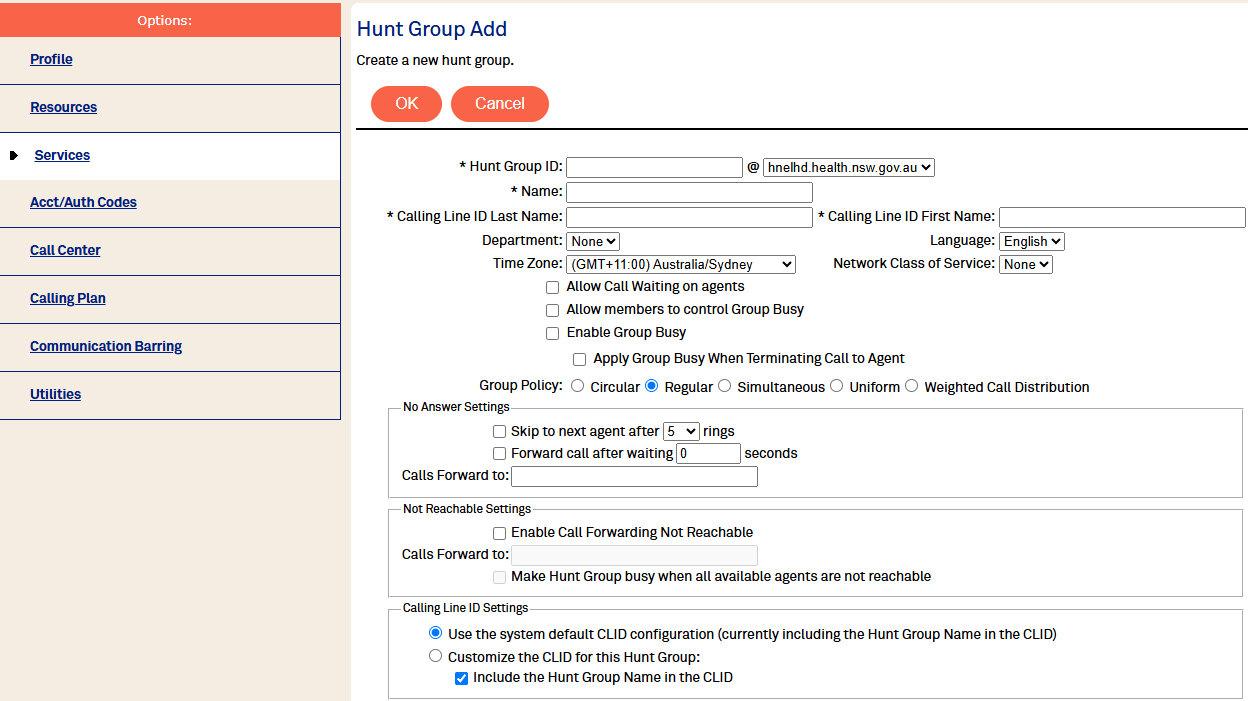
Set up a hunt group in CommPilot
- Sign in to CommPilot.
- Select Services.
- Select Hunt Group › Add.
- Enter the required information.
- Select the required Group Policy and No Answer Settings.
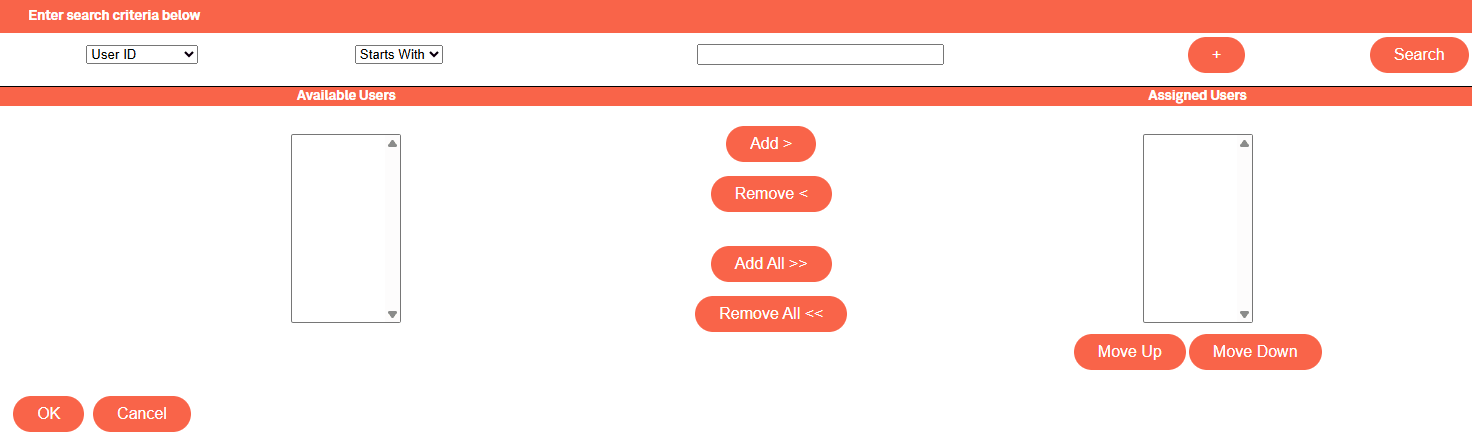
- Select the required users to be in the hunt group and choose Add.
- Select OK.
2How a call queue works
Callers wait in line with music or messages. Calls go to the next available agent, and supervisors can see who’s waiting and how long.
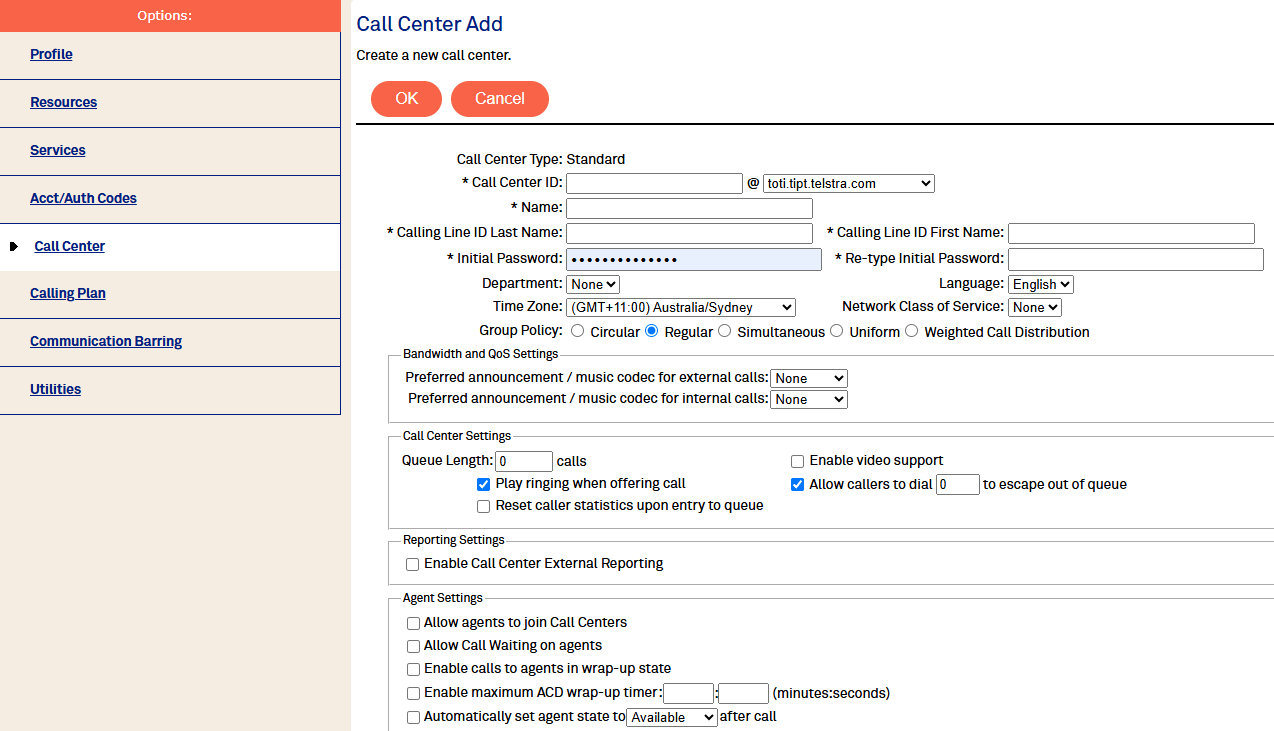
Set up a call queue in CommPilot
You need to purchase Call Centre Agent and Supervisor licences to be able to configure a call queue.
- Sign in to CommPilot.
- Select Call Centre.
- Select Add Standard or Add Premium.
- Enter the required information.
- Select the required Call Centre Settings and Agent Settings.
- Select OK.
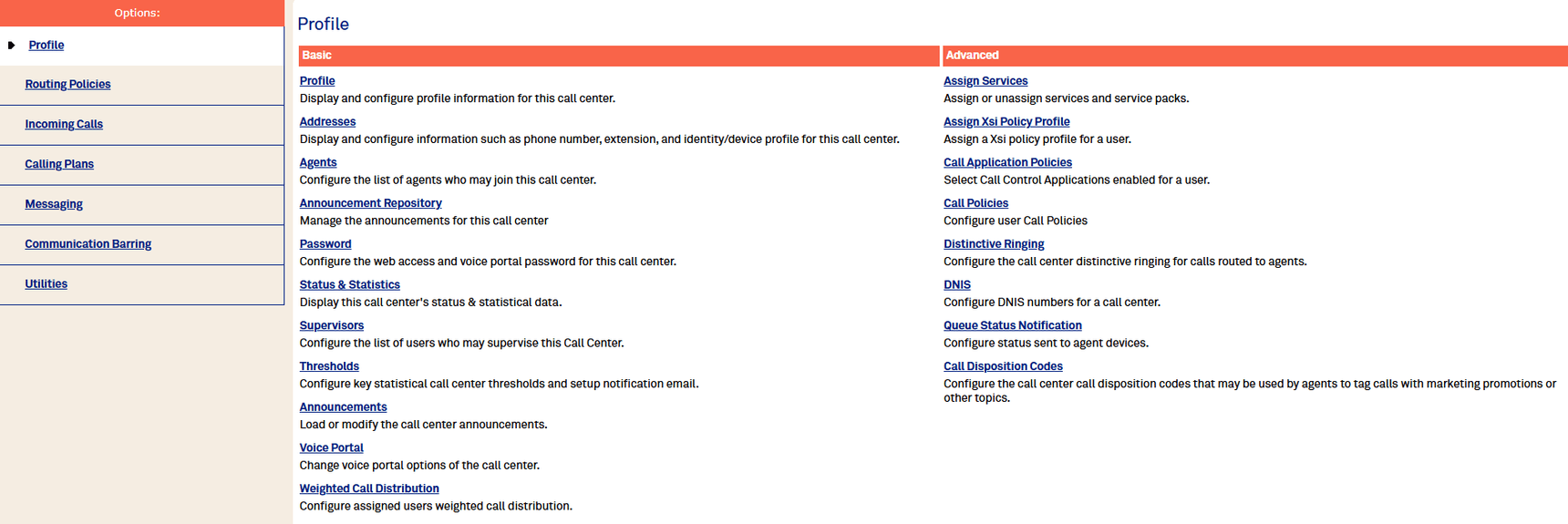
Complete all other required Call Centre menu options.
3When to choose a hunt group
A handful of people, a few calls an hour, and callers who rarely need to wait, for example a small office front desk.
4When to choose a call queue
Several agents, busy periods, service levels to meet, or a need for reporting, for example a customer service team.
5Review it after go-live
Check missed calls and wait times after the first month and adjust ring times, members and overflow.


FAQs
Can callers wait in a hunt group?
Generally no, hunt groups ring until someone answers or the call times out. If callers need to wait, use a call queue.
Which gives better reporting?
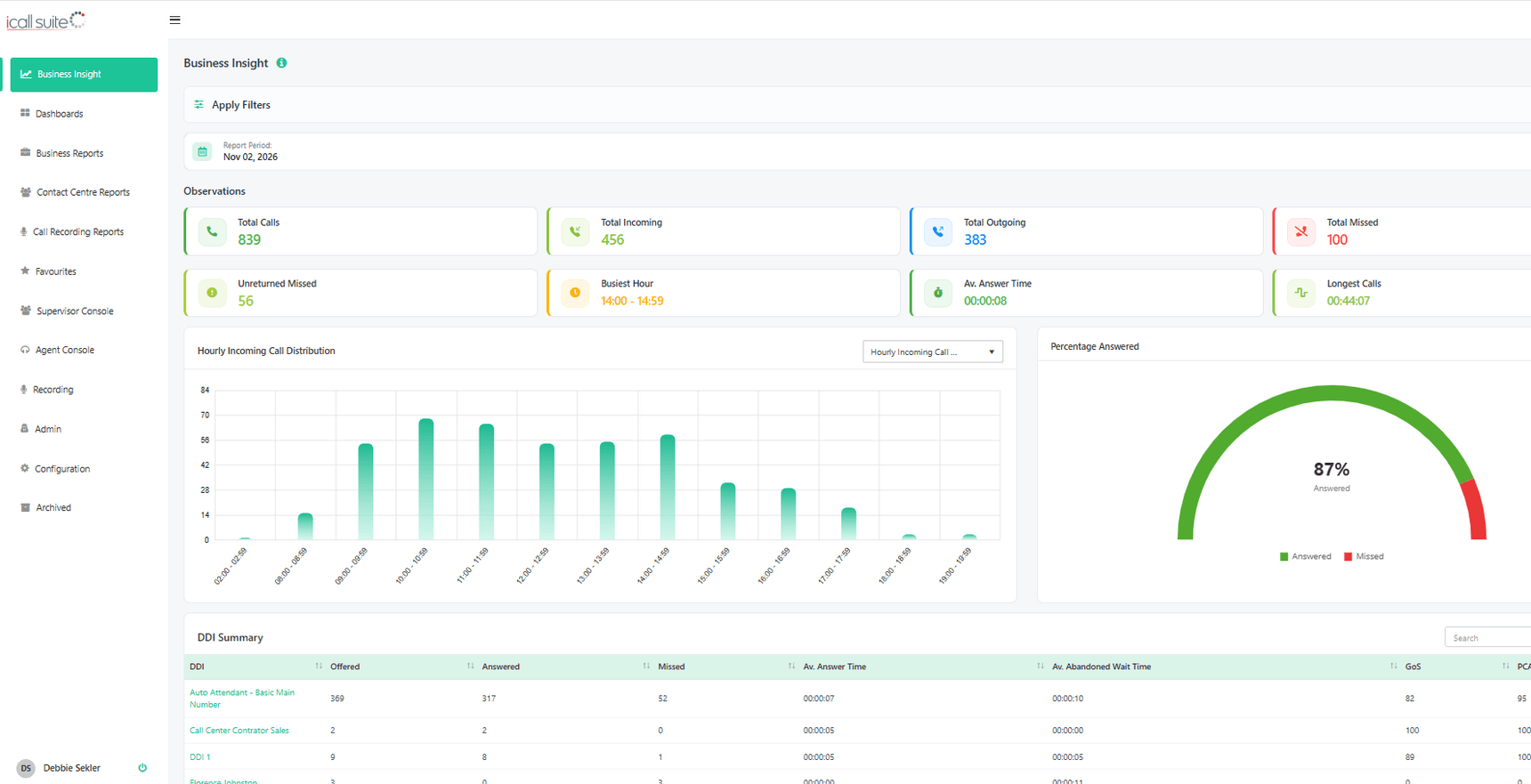
Call queues. They report on wait times, abandoned calls and agent activity.
Do all platforms offer both?
Most cloud phone systems, including Teams Phone, Webex Calling, TIPT and RingCentral, offer both, though names and features differ.
Want your team trained on this?
We deliver hands-on training tailored to your setup, on-site or online.